Here's a look at what these features actually do, why they matter, and how to tell a genuinely useful AI plugin from a gimmick.
What "WooCommerce AI Features" Actually Means
The phrase gets used loosely, so it helps to be specific. In practice, the most useful WooCommerce AI capabilities fall into a few buckets:
- Natural language querying — typing "what were my best selling products last month?" instead of building a report manually.
- Automatic visualization — turning that question into a bar chart, a sortable list, or a single formatted number, depending on what makes sense.
- Schema-aware query generation — the AI understands your store's table structure (orders, products, customers) well enough to write accurate queries without you touching SQL.
- Zero-config starting points — pre-built libraries of common questions so you get value before you've configured anything.
A plugin like WooInsight AI is a good example of how these pieces fit together. Ask "how much revenue yesterday?" and it returns a large formatted number with context. Ask "show me pending orders" and you get a clickable list linking straight to each order. Ask about a monthly trend and it renders an interactive chart. No manual report-building, no digging through twenty admin screens.
The Feature That Matters Most: Data Privacy
Store owners are right to be cautious about AI touching sales and customer data. This is where the better WooCommerce AI plugins separate themselves from the riskier ones. The privacy-conscious approach is straightforward: the AI model never sees your actual data. Only schema metadata — table and column names — gets sent in the prompt. The AI's job is to write a query; your server's job is to run it and keep the results local.
That distinction matters for:
- GDPR compliance — no personal data leaves your infrastructure to reach a third-party model
- PCI awareness — payment details never touch the AI provider
- Regulated sectors — finance, legal, and healthcare-adjacent stores that can't risk customer data transiting external APIs
⚠ Worth noting
If a WooCommerce AI assistant sends raw order or customer data to an external API to "let the AI figure it out," that's a feature to be skeptical of, not impressed by.
AI never sees your actual data — only table and column names.
Insight Libraries: AI Capabilities Without an API Key
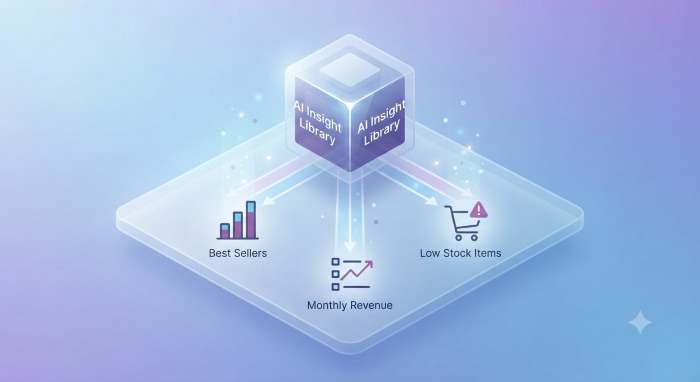
Not every store wants to manage an API key on day one. A well-designed insight library sidesteps that entirely — a set of pre-built, ready-to-execute queries covering the most common questions store owners actually ask:
- Charts and trends: best-selling products, monthly revenue trend, order status distribution, sales by category, weekly revenue, and similar
- Lists and details: top customers by spending, recent orders, low-stock products, out-of-stock products, orders with coupons
- Quick answers: revenue this month or year, average order value, total customer count, tax collected
Thirty ready-to-go insights, searchable, one click to run — no configuration required. This is the layer that makes a WooCommerce AI plugin useful immediately, with the AI-powered natural language layer as an optional upgrade rather than a requirement.
30 ready-to-go insights — charts, lists, and quick answers at your fingertips.
Security Underneath the Features
The visible features — charts, lists, instant answers — are only half the picture. Underneath, a well-built plugin enforces:
- SELECT-only execution — no INSERT, UPDATE, DELETE, DROP, or multi-statement queries are ever allowed to run
- Table and function whitelisting — the AI can only reference known WooCommerce tables and a safe set of SQL functions
- WordPress capability checks — endpoints require
manage_woocommerce, and every request is nonce-verified
This matters more than it sounds like it should. An AI writing SQL against your store is only safe if there's a hard validator sitting between the AI's output and your database — one that can't be talked out of its rules no matter how the AI phrases a query.
Compatibility: HPOS and BYOK
Two practical details decide whether a WooCommerce AI plugin will actually work on your store:
- HPOS and legacy order storage support. WooCommerce has shifted many stores to High-Performance Order Storage, but plenty of stores still run on the legacy post-based system. A plugin worth using detects which one you're on and adjusts its queries automatically, instead of breaking on one or the other.
- Bring-your-own-key flexibility. Rather than locking you into a single AI provider, the better plugins work with any OpenAI-compatible
/chat/completionsendpoint — OpenAI, Azure OpenAI, or self-hosted options like Ollama, LocalAI, and vLLM. That means you control cost and can even keep the AI layer fully local if data residency is a concern.
Choosing a WooCommerce AI Plugin
When evaluating WooCommerce AI features, the questions worth asking are less about how flashy the demo looks and more about the fundamentals:
- Does raw store data ever leave the server, or just schema metadata?
- Is there a real SQL validator, or is the AI trusted to "behave"?
- Can you get value without an API key, or is everything gated behind one?
- Does it support your order storage system (HPOS or legacy)?
- Are you locked into one AI provider, or can you bring your own?
Plugins like WooInsight AI are built around answering "yes" to the privacy and security questions first, with the natural-language convenience layered on top — which is the order those priorities should probably come in for anyone handling real customer and sales data.